The Mental Model That Changes Everything
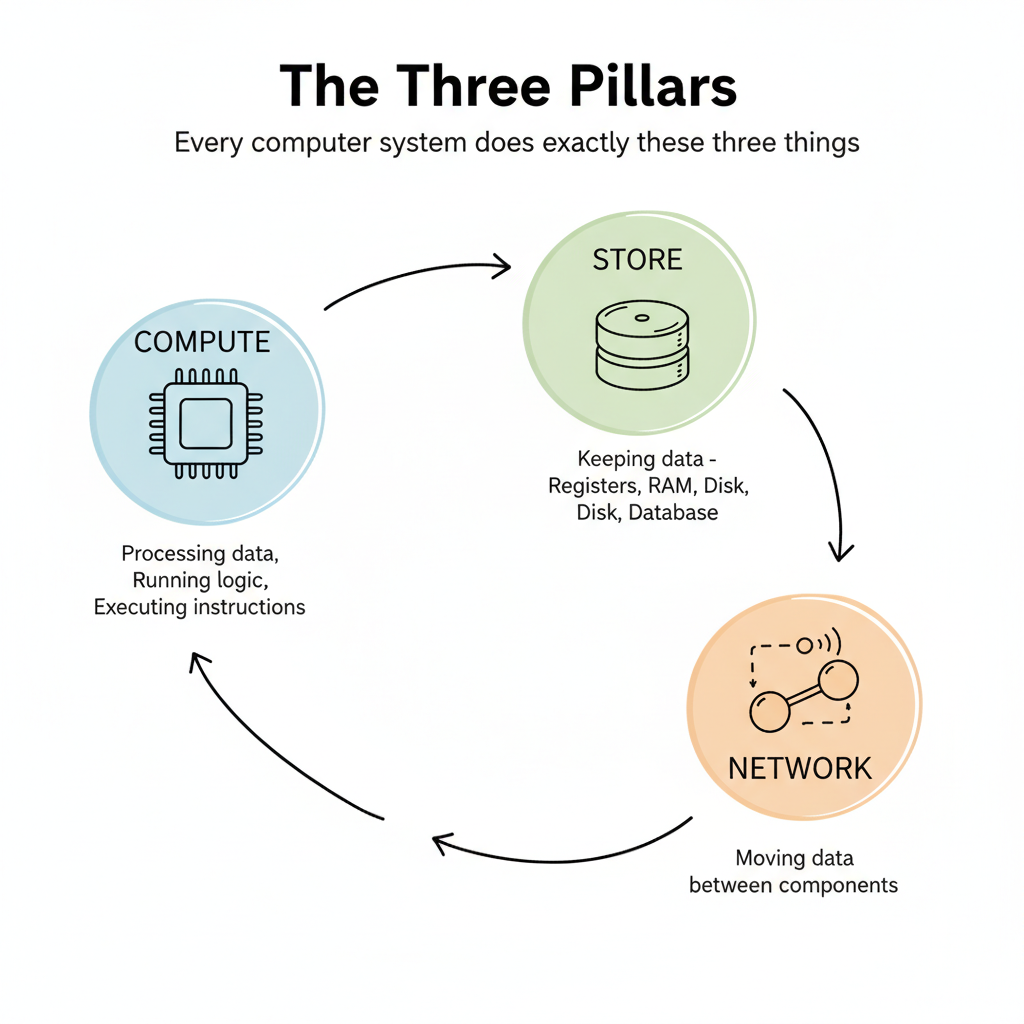
Here's a secret that takes most engineers years to internalize: every computer system, from a simple script to a distributed architecture, does exactly three things.
Compute. Store. Network.
That's it. Once you see systems through this lens, everything clicks into place.
The Three Pillars
Compute
Processing data. Running logic. Executing instructions.
When your code adds two numbers, that's compute. When it sorts a list, that's compute. When it decides which branch of an if-statement to take, that's compute.
The CPU is the primary compute engine, but GPUs compute too. Even your network card does some computation.
Store
Keeping data somewhere.
This could be:
- Registers inside the CPU (tiny, blazing fast)
- RAM (bigger, still fast)
- Disk (huge, slower)
- A database on another machine
Anytime data persists, even for a microsecond, that's storage.
Network
Moving data between components.
Here's what surprises people: network doesn't just mean the internet. The wire connecting your keyboard to your motherboard? That's network. Data moving from RAM to CPU cache? Network. Your hard drive sending data to RAM? Network.
Any time data moves from point A to point B, that's the network pillar at work.
Tracing a Keystroke: From Keyboard to Screen
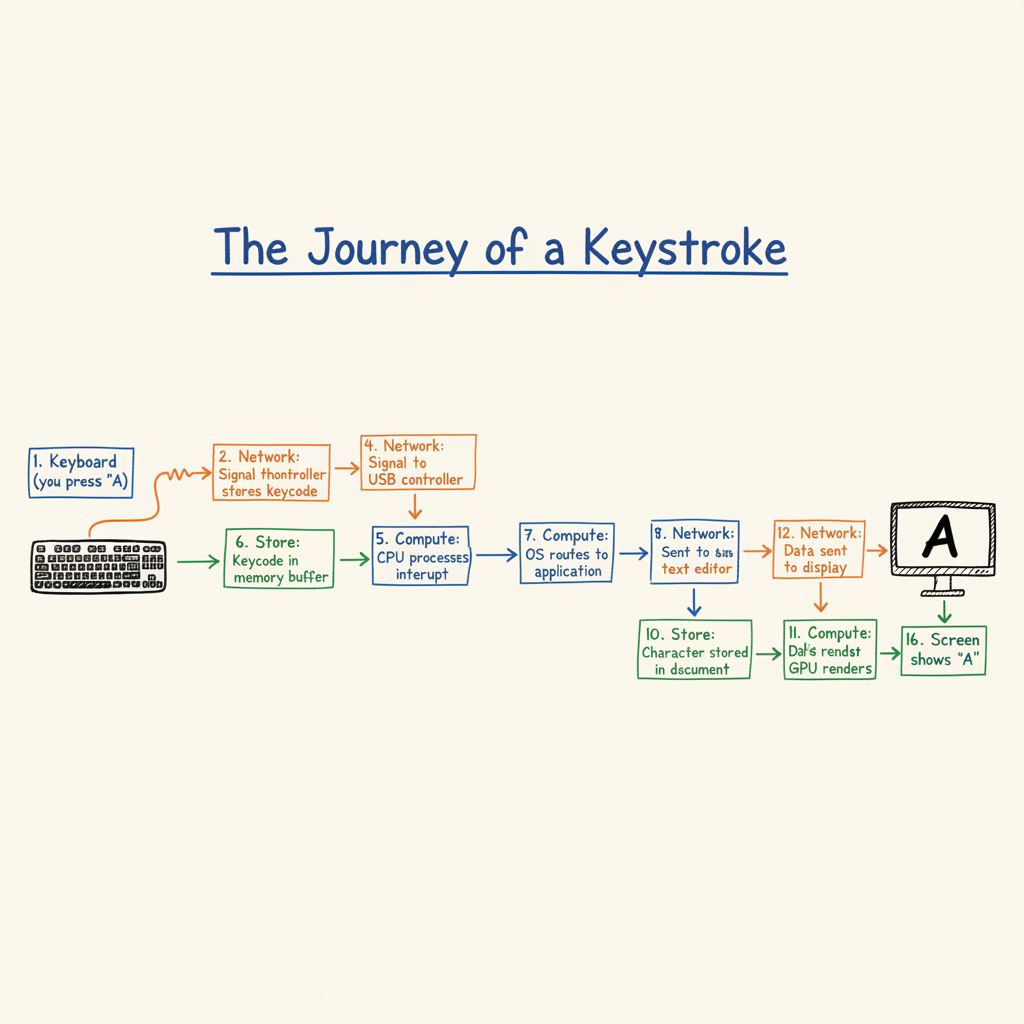
Let's trace what happens when you type a single character. This will make the three pillars concrete.
- You press the "A" key
- Network: The keystroke signal travels through the USB cable to your computer
- Store: The keyboard controller stores the keycode temporarily
- Network: The signal reaches the USB controller on your motherboard
- Compute: The CPU processes an interrupt, recognizing a key was pressed
- Store: The keycode is stored in a memory buffer
- Compute: Your operating system figures out which application should receive this input
- Network: The keycode is sent to your text editor's process
- Compute: The text editor processes the character and updates its internal state
- Store: The character "A" is stored in the document buffer
- Compute: The text editor calculates what pixels need to change on screen
- Network: Display data is sent to the GPU
- Compute: The GPU renders the character
- Network: The rendered frame is sent through the display cable
- Store: The frame is stored in the monitor's buffer
- You see "A" on screen
A single keystroke. All three pillars, multiple times.
Why This Matters
When something is slow or broken, it falls into one of three categories:
- Compute bottleneck: The CPU can't process fast enough
- Storage bottleneck: Reading or writing data is the slowdown
- Network bottleneck: Moving data between components is the constraint
Senior engineers instinctively ask: "Is this a compute problem, a storage problem, or a network problem?"
This mental model gives you that instinct.
A Simple Example: Adding Two Numbers
Consider the simplest program:
a = 5
b = 3
c = a + b
print(c)
Even here, all three pillars appear:
| Step | Pillar | What Happens |
|---|---|---|
a = 5 | Store | Value 5 is stored in memory |
b = 3 | Store | Value 3 is stored in memory |
a + b | Network | Values loaded from memory to CPU |
a + b | Compute | CPU adds the numbers |
c = ... | Store | Result stored in memory |
print(c) | Network | Data sent to display system |
You cannot escape the three pillars. They are the foundation of everything.
Identifying Bottlenecks Before They Bite You
When you're designing a system or debugging a problem, ask yourself:
- Where is the compute happening? Is it CPU-intensive? Could it benefit from caching results?
- Where is data being stored? Is it in memory or on disk? Is the storage fast enough for the access patterns?
- How is data moving? Are there unnecessary round trips? Is the network the bottleneck?
Most performance problems become obvious once you map them to these three pillars.
Find the real bottleneck. Build something that addresses it directly. Let the rest of the world catch up.
— Kumar Pratik
The Insight
Every system you will ever build or debug consists of compute, store, and network. Master this mental model, and you'll see through the complexity that confuses junior engineers.
Self-Check
Before moving on, make sure you can answer:
- What are the three pillars, and what does each one mean?
- When data moves from your SSD to RAM, which pillar is that?
- If your web app is slow, what three categories of problems should you investigate?
Push On It
The chapter is the prompt. The workout is what changes you.
- Pick one piece of code you wrote this week. Trace one operation through the three pillars and write down which pillar dominates the time.
- Open Activity Monitor or Task Manager. Identify one process that is compute-bound, one that is storage-bound, and one that is network-bound right now. How can you tell the difference?
- Pick something in your day that feels slow: a website loading, a build, a video call. Guess which pillar is the bottleneck before you measure. Then measure. How often were you right?